

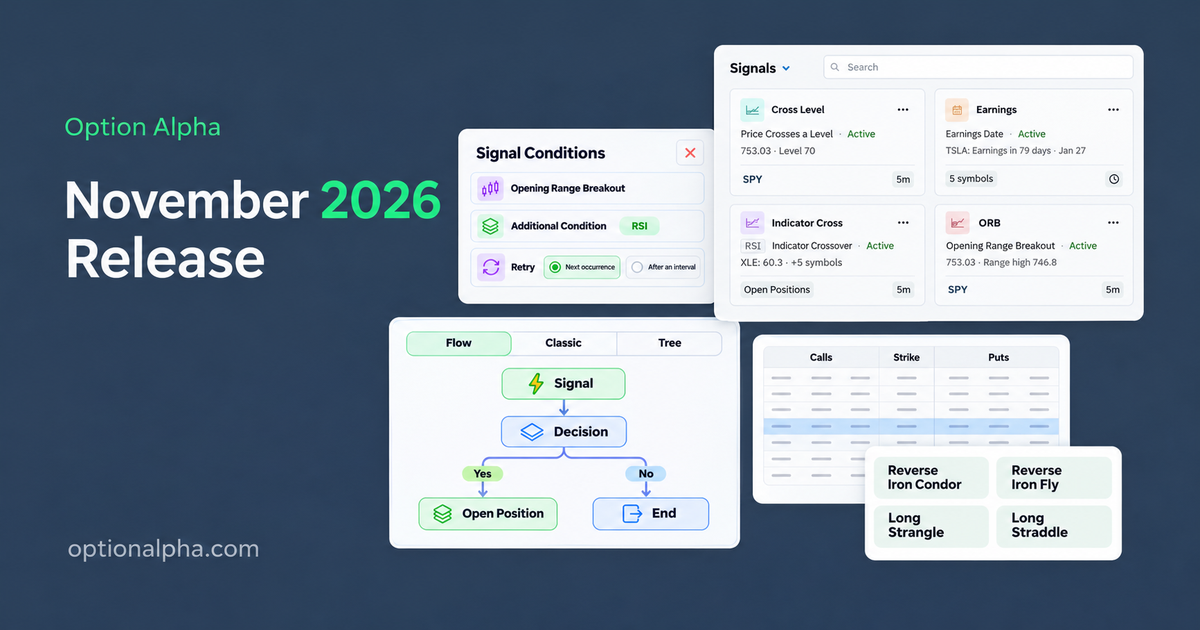
The biggest release in Option Alpha’s history is now live, with more than 120 updates across the platform, including 47 new features. This release, codenamed "Jubilee", brings to fruition a vision that provides us with all new opportunities as options traders.
Signals
When we first introduced Opening Range Breakout, we added a way to backtest and automate options trades triggered by a market event. In that release, we shared a vision that we intended to build on that foundation and introduce additional market based signals in the future. That time has finally come.
The biggest addition in this release, Signals, gives us the ability to trigger trades, automations and alerts based on market conditions, important events, indicators, chart patterns, price changes and more. There are thousands of potential signal combinations, with full control over the timeframes and conditions behind each one. All of these signals can be backtested and then turned into a bot automatically.
OA Portfolio Update
As part of this launch we also introduced a new version of the OA Power Portfolio, increasing it to 10 uncorrelated strategies. We added 2 additional bearish strategies based on an intraday signals. You can find out more about the Power Portfolio and those changes here.
We also introduced 4 new signal based strategies in the OA Portfolio builder:
- Downshift: Signal-driven short call spread that targets bearish intraday momentum.
- Undercurrent: 0DTE SPX short call spread using a moving average crossover and ADX filter.
- Red Flag: 0DTE SPX short call spread triggered by a bearish closing marubozu.
- Drift Catcher: 0DTE SPX reverse iron condor entered when VIX is down at least 1%.
Mobile App
Also shipping with this release are native mobile apps for iPhone and Android. Both will go live soon after they are approved by Apple and Google app stores.
Here are highlights of the biggest additions in this release:
- Signals: Get in-app, mobile, or email alerts. Use signals in bots and backtests.
- New Mobile Apps: New Option Alpha apps for iPhone and Android with push notifications. (pending app store approval)
- 4 New Position Types: Reverse Iron Condors, Reverse Iron Flies, Long Strangles, and Long Straddles.
- Major Backtester Upgrade: A faster engine, additional performance charts, more options, and clearer comparisons.
- Upgraded Automation Editor: Undo and Redo, new layouts, branch copying, reusable trade setups, and draft recovery.
- New Option-Chain Selector: Choose calls and puts side by side when opening a position.
- Dark Mode: A dark mode appearance option.
Here’s a closer look at all the new features, grouped by the part of the platform they update:
Trading Signals
A signal watches for a condition you define, such as a price move, indicator crossing, breakout, candlestick pattern, or market date. Follow specific symbols, a watchlist, or the symbols in your open positions.
- 27 signal choices across 7 groups.
- 65 indicator options, plus 61 candlestick patterns.
- 7 intraday intervals: 1, 2, 3, 5, 10, 15, and 30 minutes. Daily bars are also available for supported signal types.
The 27 signal choices cover market events, company dates, indicators, price levels, price changes, highs and lows, and breakouts.
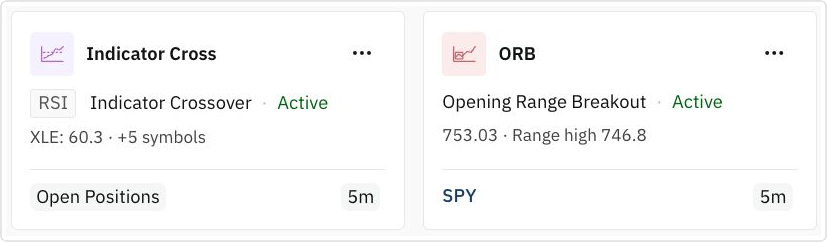
Define and preview a signal
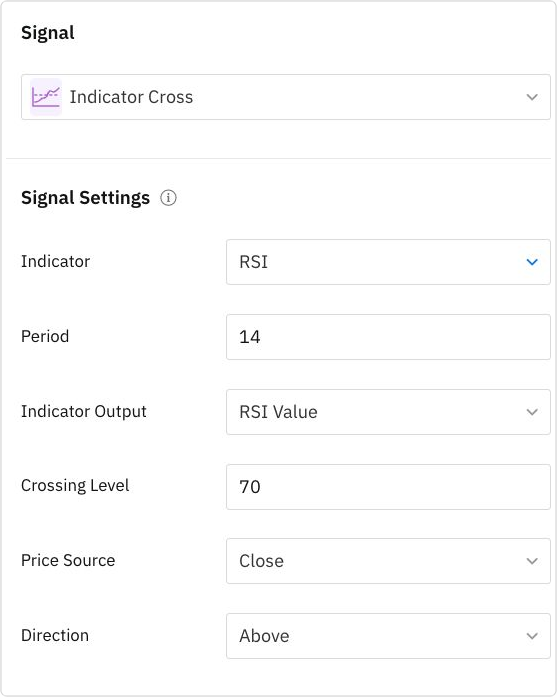
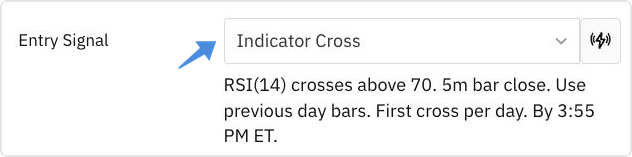
For indicator-based signals, choose from 65 indicator options. For example, you can watch for the Relative Strength Index (RSI) to cross above 70. Choose the indicator settings, the crossing level, and the chart interval you want to use.
Signals support seven intraday bar intervals: 1, 2, 3, 5, 10, 15, and 30 minutes. Daily bars are also available for supported signal types. Opening Range Breakout uses intraday bars.
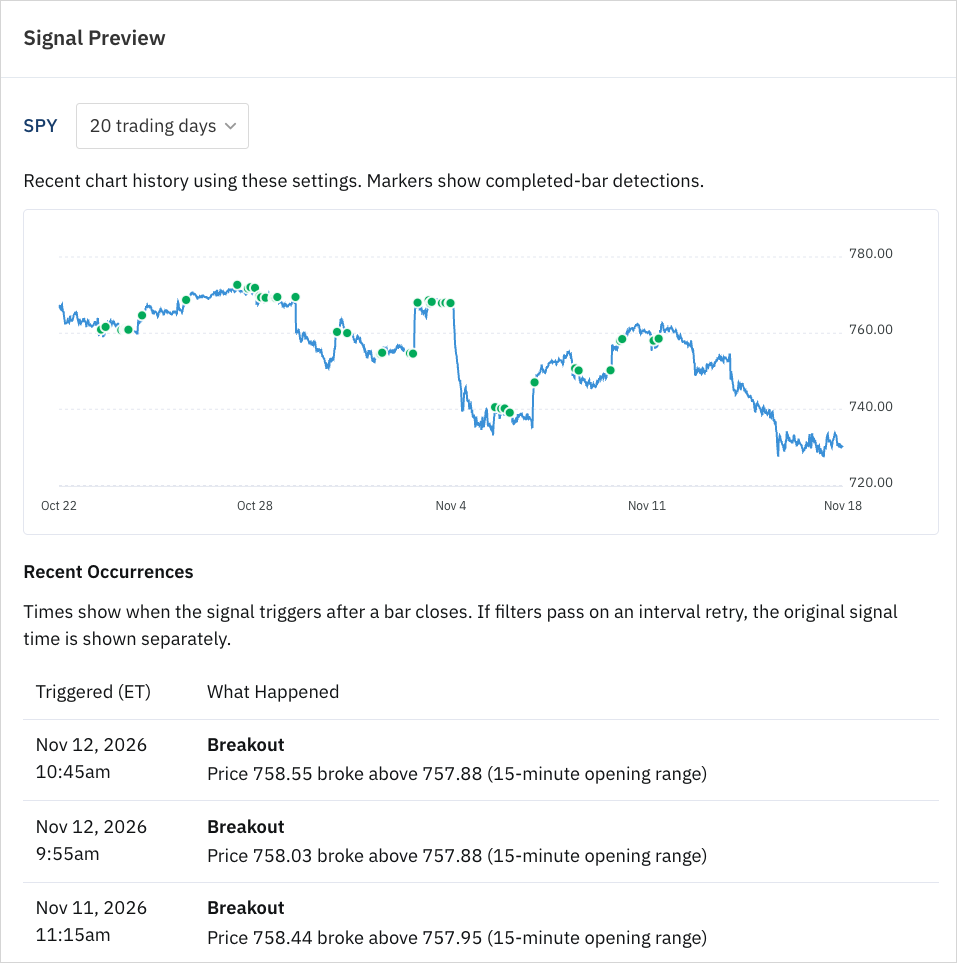
Preview recent occurrences on a chart before saving. The preview includes the values recorded when the condition was met.
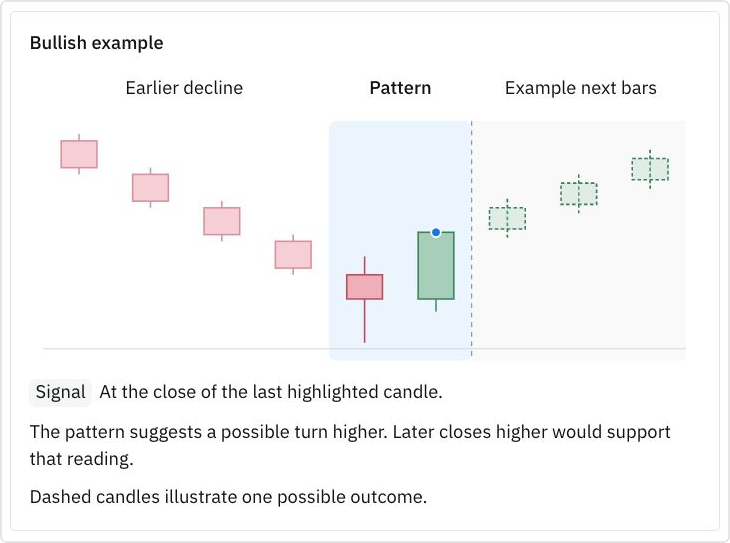
The in-app guides explain the settings and include illustrations for 61 supported candlestick patterns.
Add conditions and choose your alerts
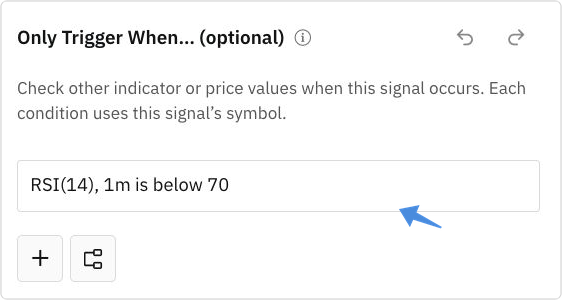
Add conditions that must also pass before the signal triggers. An opening-range breakout could also require RSI to be below 70. Combine conditions in groups when you need several checks to work together.
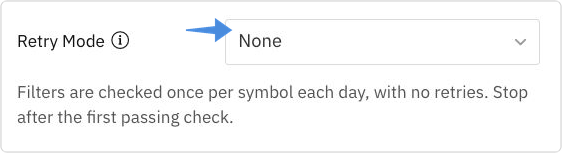
If the extra conditions do not pass, Retry Mode controls whether to check again at the next occurrence or after an interval.
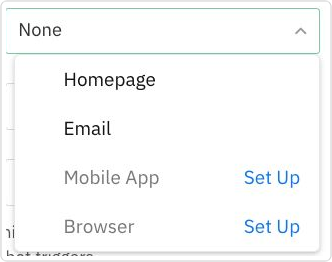
Choose how often to receive alerts and which notification channels to use. Email, mobile, browser, and Home alerts have their own controls.
Test a signal and trigger an automation
For signals supported by the backtester, you can test the condition as an entry trigger, inspect the values recorded at each entry, and create a bot from the tested settings. Compatible signal price levels can also be used to select strikes.
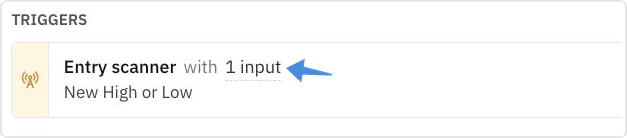
Trigger a bot automation when the signal occurs. The signal can pass its symbol, time, and numeric values into automation inputs. A shared or imported signal is saved as an independent copy, so another trader’s edits do not change your settings.
New position types and trade setup
Four new position types
You can open, import, automate, and backtest:
- Reverse Iron Condors
- Reverse Iron Flies
- Long Strangles
- Long Straddles
Two new leg recipes linked to input values
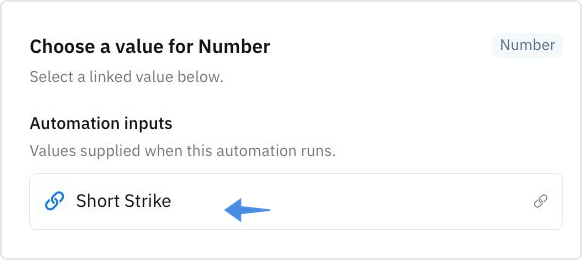
Two new recipes let you select a strike a dollar amount or percentage above or below an input value. This is useful when the reference price comes from a signal or another step in your automation.

Click the value to link a compatible input. For example, an automation can receive a breakout price from a signal and use that price as the reference for selecting a strike.
Calls and puts in one option-chain view
The new option-chain selector displays calls and puts side by side when opening a position. Review bid, ask, delta, open interest, and other available columns as you choose the legs.
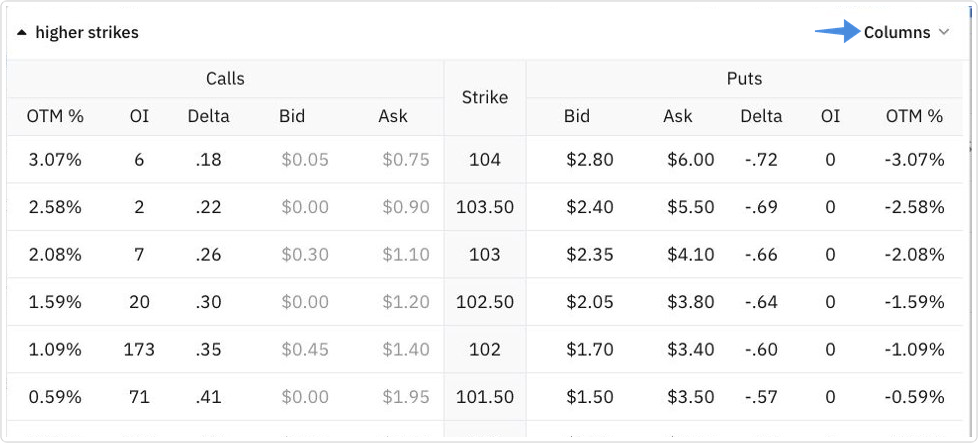
The existing Call/Put List is still available from the gear menu, and the app remembers your preferred view.

Major Backtester Upgrade
A new backtesting engine speeds up repeated tests and improves capacity during busy periods. The updates below make it easier to compare variations, understand which trades were included, and account for the settings and costs behind the results.
Clearer Strategy Comparisons
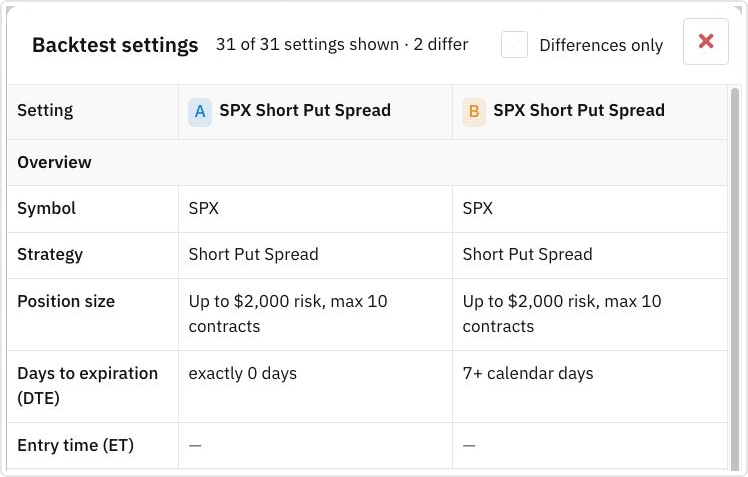
Compare settings side by side and focus on the differences between variations.
- Create variations with different entry times.
- Align tests to the same historical period.
- Reorder variations while keeping their letters and chart colors.
- You can show all settings or only the differences between variations.
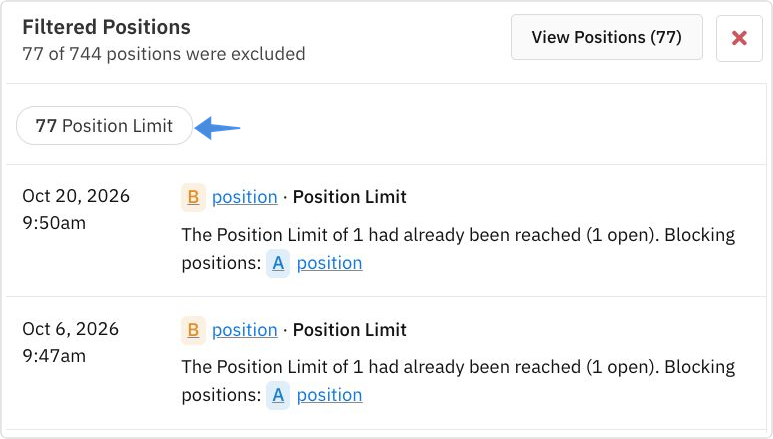
Open the Filtered count in a combined backtest to see why trades were excluded. Explanations include position limits, conflicting option legs, and insufficient capital. You can filter the excluded trades by reason and inspect the positions involved.
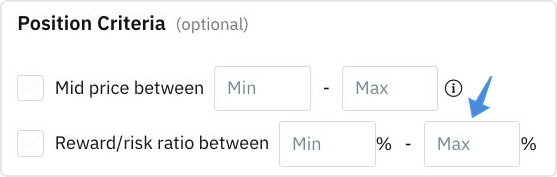
More precise backtest settings
Set minimum and maximum reward-to-risk limits.
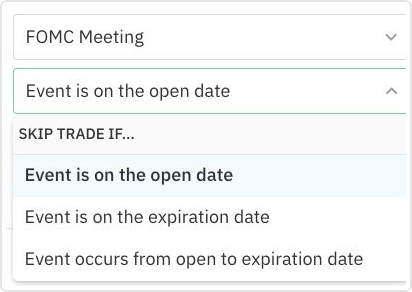
Apply market-event exclusions on the entry date, at expiration, or throughout the holding period.
Saved Backtests and filters
Saved Backtests improvements include shared sorting and filtering, folders, previews, and Expand All or Collapse All. Additional filters include signal type, allocation, position size, and separate opening and closing slippage ranges.

Backtester and Bot Charting Upgrades
New charts show how a strategy’s results developed over time and how much capital it used. Backtests, bot charts, and Position Analyzer have additional views for reviewing performance and the trades behind it.
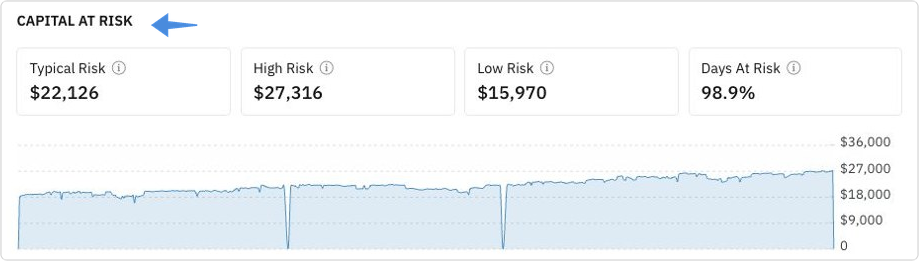
Capital at risk
See how exposure changed throughout a backtest, including its typical, high, and low levels and the percentage of days with capital at risk.
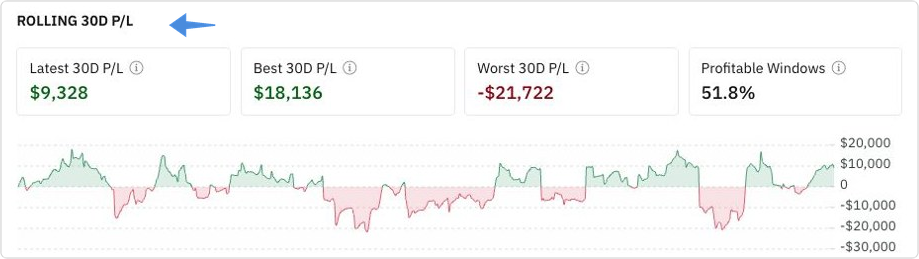
Rolling 30-day P/L
Review results over successive 30-day periods. Each window moves through the history, so you can see how recent performance changed along the way.
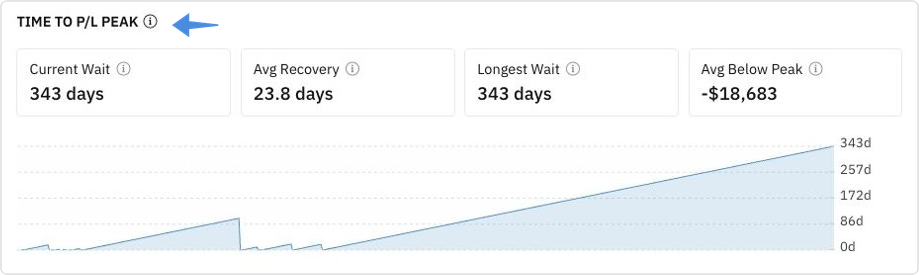
Time below a previous P/L peak
See how long the strategy waited to reach a new high. This includes the average recovery time, the longest wait, and any period that had not recovered when the test ended.
Monthly results, drawdowns, and streaks
Review performance in heat map, table, or chart views where available. Choose which supporting charts and statistics remain visible.
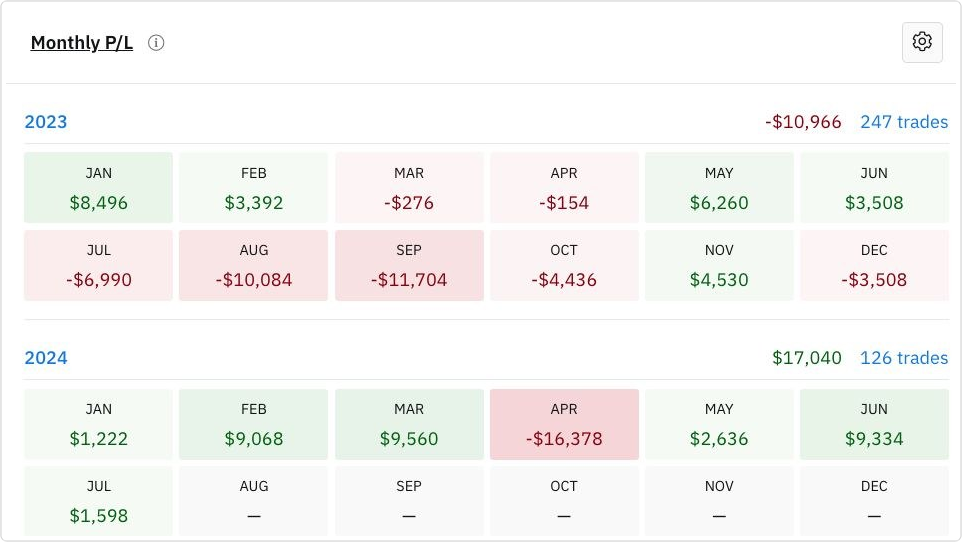
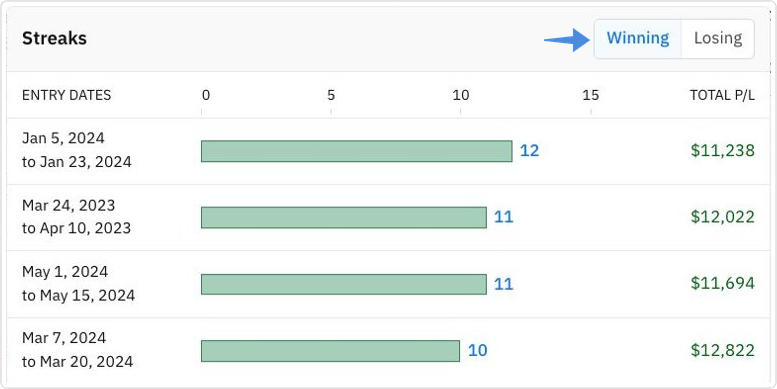
Open a drawdown or winning or losing streak to inspect its trades. The drawdown view separates the decline, the recovery, and periods that remain unrecovered.
The Automation Editor got a major upgrade
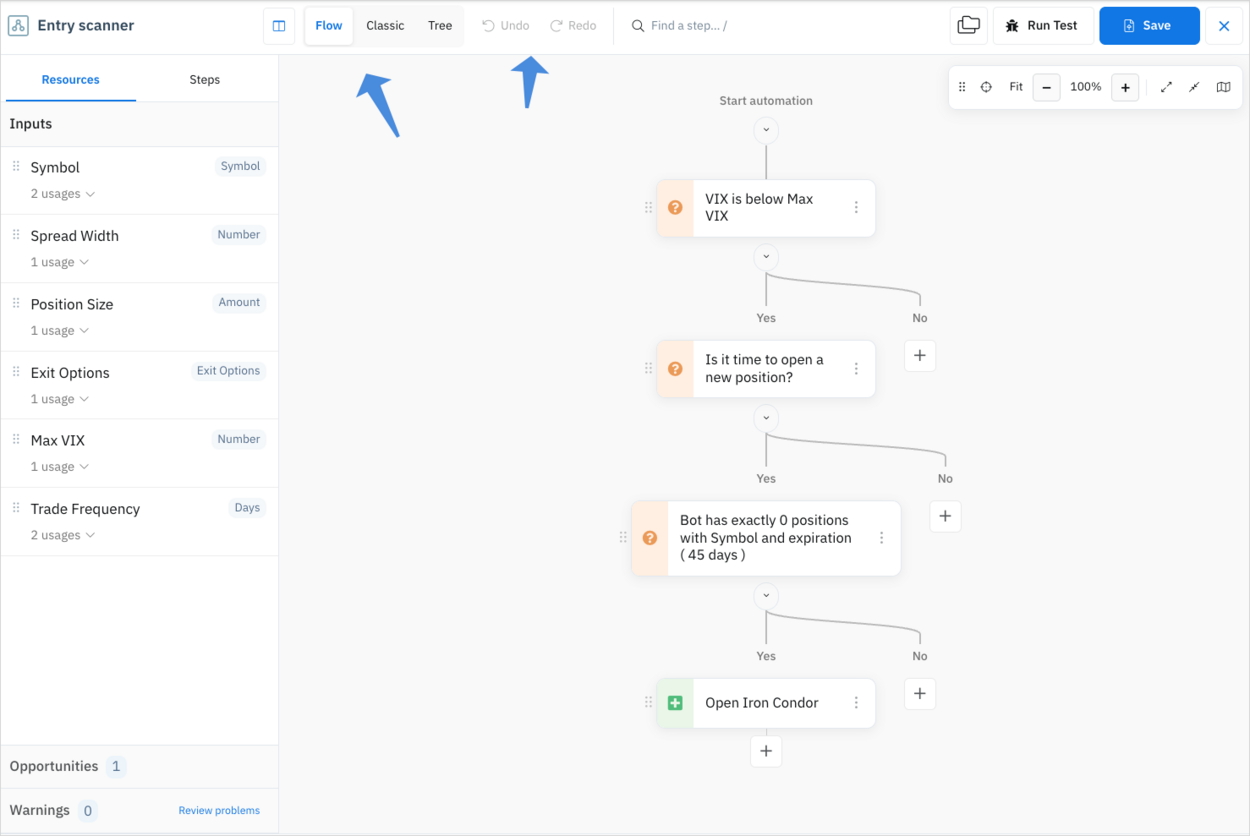
The editor adds more ways to navigate, change, and review an automation.
- Choose Flow, Classic, or Tree layout.
- Undo and Redo support.
Editing and navigation
- Copy an individual action or an entire branch.
- Search for a step or use the overview map to navigate a large automation.
- Focus on an individual branch.
- Review unsaved changes and recover locally saved drafts when available.
- Use keyboard shortcuts for common editing tasks.
- Automatic error detection for input and other issues before saving.
Reusable trade setups
Name a trade setup as an opportunity and reuse it in decisions and Open Position actions.
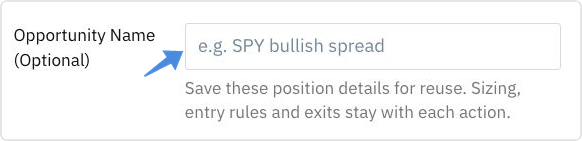
For example, a decision can evaluate the same opportunity that a later action uses to open the position. Selecting a saved opportunity preserves the action’s separate position sizing, entry rules, exits, and tags.
- The linked-value picker also makes compatible inputs and outputs from earlier steps easier to find.
- Clearer validation messages identify missing or incompatible links, including links used inside opportunities.
Community and learning
Community search upgrade
Search posts, comments, and usernames with highlighted matches and links to the relevant conversation.

You can also search within a discussion. Expand or collapse discussion threads and change the comment order to follow longer conversations.

Unsubscribe from a post directly from an alert, or silence a member’s notifications while keeping their posts visible. Signals can also be shared for another member to save as an independent copy. The trader directory includes card and list views.

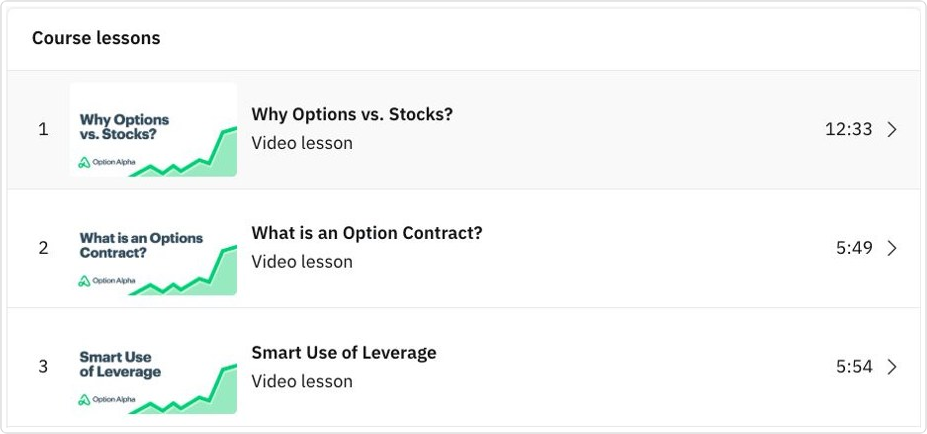
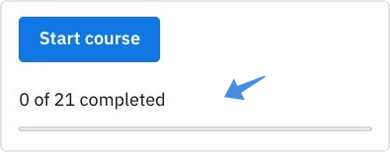
New Learn section with classic Option Alpha courses with progress tracking
Follow an ordered curriculum, track completed lessons, and resume supported videos where you left off.
Notifications, Dark Mode, and mobile apps
Separate notification controls
Manage email, mobile push, and browser notification channels independently for supported activity. Signals have their own delivery and frequency settings.

You can set up and test browser notifications, then open the relevant app page from an alert. Live Support conversations also remain available as you navigate the app, with clearer notices when there is an unread reply.
Dark Mode
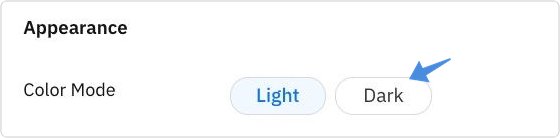
Choose Light or Dark in Appearance. Supported app views, controls, charts, and tooltips adjust to your selection.
Market calendar and options research
A more useful market calendar
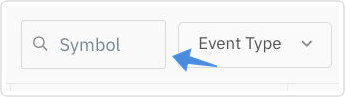
Search by symbol to find company events.
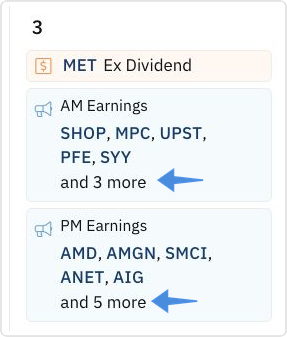
Expand grouped earnings or ex-dividend events on busy days.
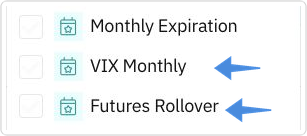
Additional event choices include VIX monthly expiration and futures rollover dates.
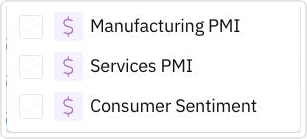
Manufacturing PMI, Services PMI, and Consumer Sentiment have also been added. Upcoming events on Home link to their details and the full calendar.
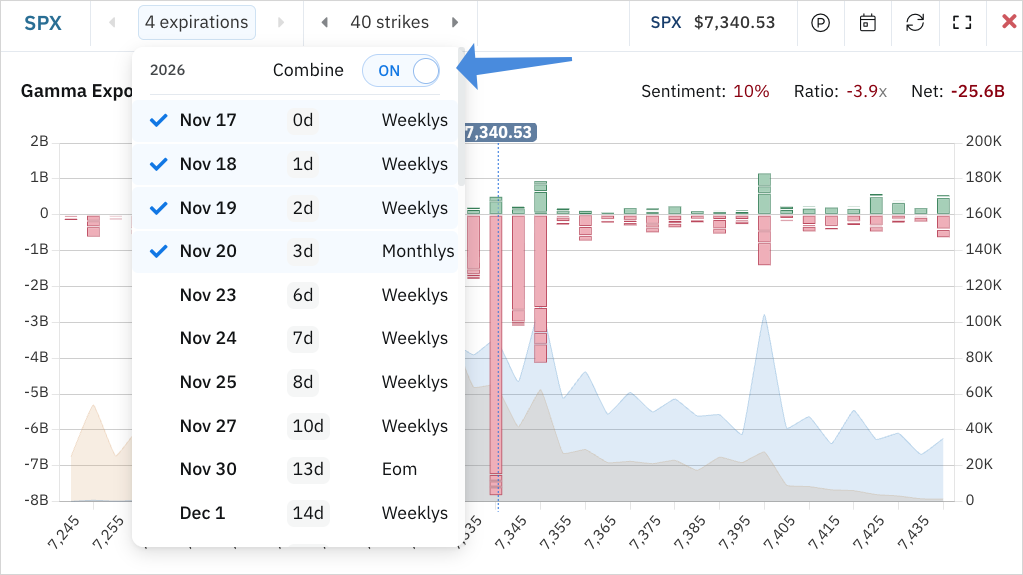
Combine Gamma Exposure (GEX) across multiple expirations
Other updates worth mentioning
- Remembered grouping for bots and positions by account and trading details, including live or paper mode.
- Bot history transfers between bots of the same live or paper type.
- Additional automation decisions for expiration availability and symbol matching, plus greater precision in indicator comparisons.
- Clearer bot logs, with recorded answers for nested decision groups and reference values for price comparisons.
- VIX expiration and futures rollover are included in the calendar’s event choices.
- A collapsible sidebar to give charts and editors more space.










'%3e%3cg id='Final-Copy-2_2_' transform='translate(1275.000000, 200.000000)'%3e%3cpath class='st0' d='M7.4,12.8h6.8l3.1-11.6H7.4C4.2,1.2,1.6,3.8,1.6,7S4.2,12.8,7.4,12.8z'/%3e%3c/g%3e%3c/g%3e%3c/g%3e%3cg id='final---dec.11-2020'%3e%3cg id='_x30_208-our-toggle' transform='translate(-1275.000000, -200.000000)'%3e%3cg id='Final-Copy-2' transform='translate(1275.000000, 200.000000)'%3e%3cpath class='st1' d='M22.6,0H7.4c-3.9,0-7,3.1-7,7s3.1,7,7,7h15.2c3.9,0,7-3.1,7-7S26.4,0,22.6,0z M1.6,7c0-3.2,2.6-5.8,5.8-5.8 h9.9l-3.1,11.6H7.4C4.2,12.8,1.6,10.2,1.6,7z'/%3e%3cpath id='x' class='st2' d='M24.6,4c0.2,0.2,0.2,0.6,0,0.8l0,0L22.5,7l2.2,2.2c0.2,0.2,0.2,0.6,0,0.8c-0.2,0.2-0.6,0.2-0.8,0 l0,0l-2.2-2.2L19.5,10c-0.2,0.2-0.6,0.2-0.8,0c-0.2-0.2-0.2-0.6,0-0.8l0,0L20.8,7l-2.2-2.2c-0.2-0.2-0.2-0.6,0-0.8 c0.2-0.2,0.6-0.2,0.8,0l0,0l2.2,2.2L23.8,4C24,3.8,24.4,3.8,24.6,4z'/%3e%3cpath id='y' class='st3' d='M12.7,4.1c0.2,0.2,0.3,0.6,0.1,0.8l0,0L8.6,9.8C8.5,9.9,8.4,10,8.3,10c-0.2,0.1-0.5,0.1-0.7-0.1l0,0 L5.4,7.7c-0.2-0.2-0.2-0.6,0-0.8c0.2-0.2,0.6-0.2,0.8,0l0,0L8,8.6l3.8-4.5C12,3.9,12.4,3.9,12.7,4.1z'/%3e%3c/g%3e%3c/g%3e%3c/g%3e%3c/g%3e%3c/svg%3e) Your Privacy Choices