

One of the features added in this release enables backtests and bots to select position leg prices based on the previous day's close price. This sounds like a very simple addition with a limited use case but it enabled us to discover the following 0DTE strategy...
Flat Fly Strategy
It is a very simple strategy that opens a $10 wide Iron Butterfly trade at 10:00am every day centered at the previous day's close price. Yes, that's it! According to our research, reversion to within $10 of the previous close happens 1 out of 4 days on average.
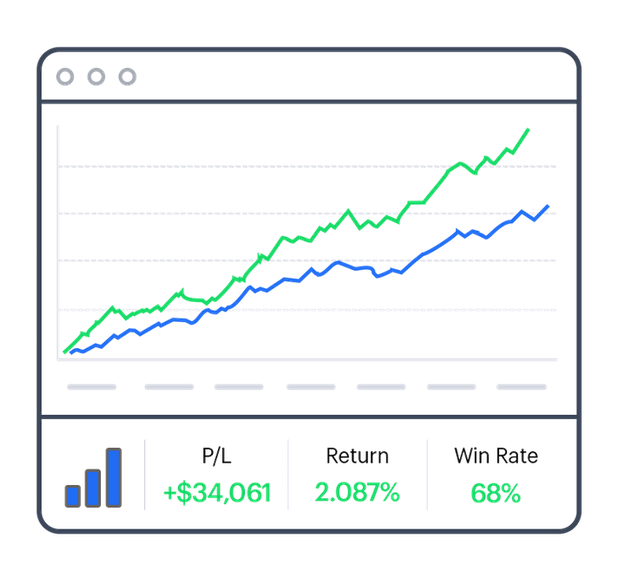
The backtest for the strategy is promising. I kept it as minimal as possible to avoid overfitting. It also holds the positions until expiration so it's not getting favorable exits. The returns were 10x the max drawdown with the baseline setup over the last 3 years.
The strategy is also PDT safe, has a very low drawdown and is good for small accounts.
Backtest results are here. YouTube video is here.
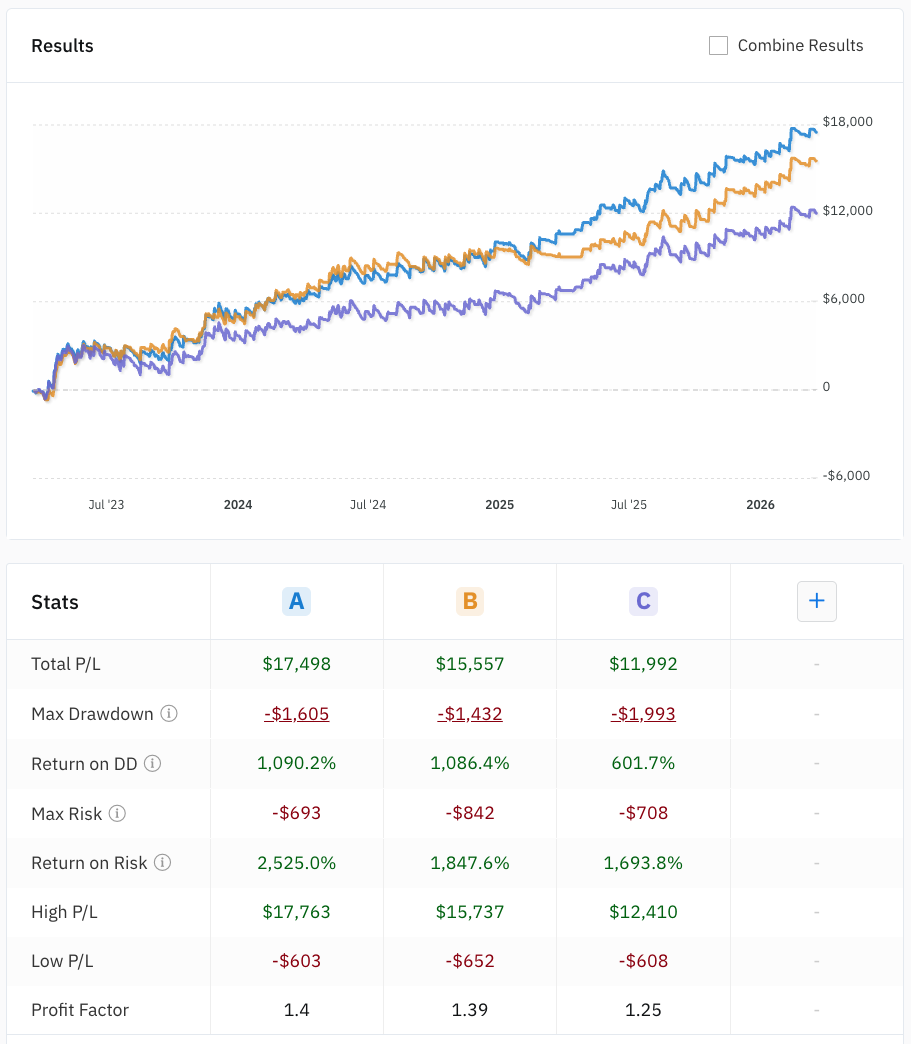
- Test A is the baseline strategy. The only filters for entry are a bid/ask spread < $2.00 and a mid price < $9.65.
- Test B adds a filter so it only trades when the price is within +/- .5% of the previous day's close.
- Test C is the same as Test A but with a pessimistic $0.10 entry slippage.
I will be personally trading a very similar version to Test A, but that scales the position size to $500 instead 1 contract. Scaling the number of contracts based on $ risk increased the profit factor from 1.4 to 1.57 and increased the 3 year return to 1,500%. The backtest results for that one are here.
Flat Flyer Bot Template
A bot template for the strategy is here: Flat Flyer
Note: 2 legs will be assigned daily so assignment fees will eat at profits if your broker charges assignment fees (TradeStation does not, Tradier is $9 per leg or $5 per leg with the Plus plan).
New Features
Here is a quick overview of all the features and bug fixes added since our last release:
Open position legs based on the previous day's close price or today's open price
Supports both $ and % increments. Added in both bots and backtester.

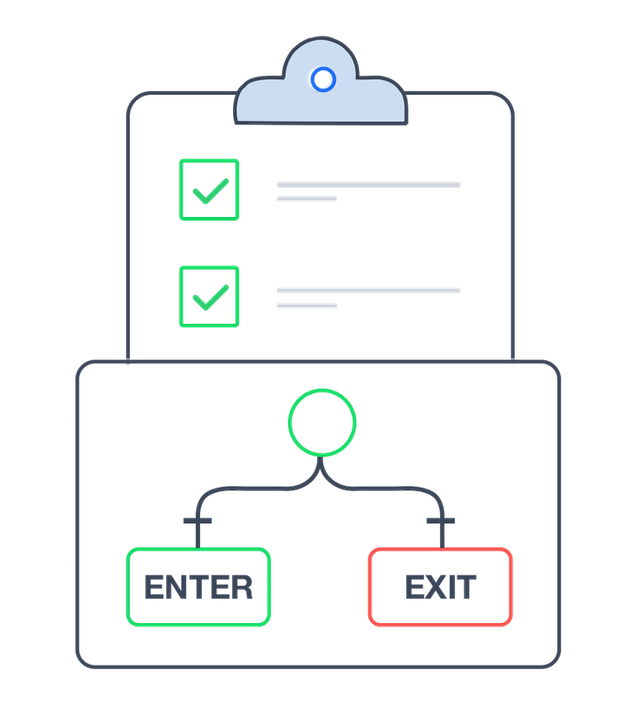
New decision to check if a bot has a existing position with a specific DTE range
Supports calendar or market days to expiration.

Export position data for multiple bots
Analyze your trades in excel or feed your trades into your favorite AI. Available under Positions > Analyze.
New "duration" column in analyzer position list
Quickly view when positions were opened and closed without having to click on the position.
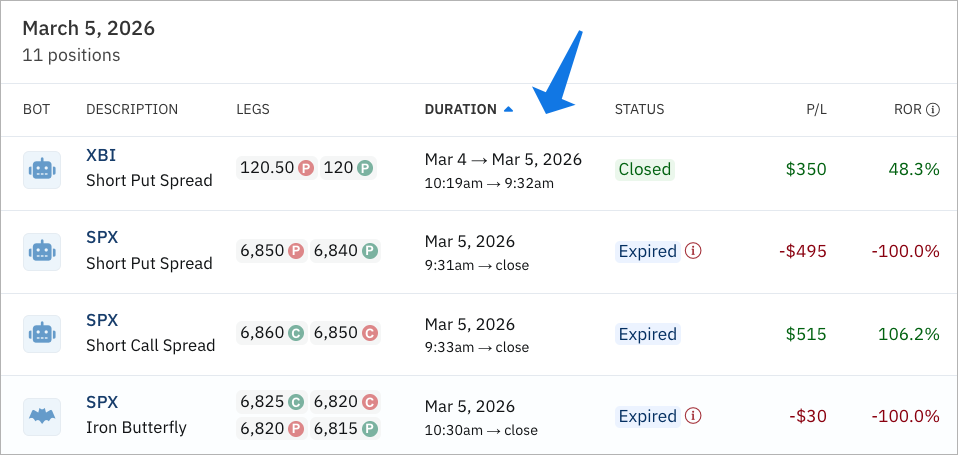
Position legs added to backtester position list

Return on Drawdown and Return on Risk values added to the backtester
Can also be added as a column in Top Backtests.

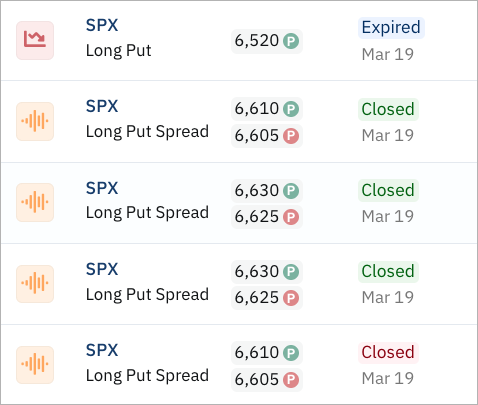
Added color coded statuses for closed positions
Quickly differentiate between expired, override and closed positions. Green is closed for a win and red is closed for a loss.
Added ability to select high/low/open/close to minute(s) ago recipe
When comparing the current price of a symbol to the price x minutes ago, you can now select whether you want to use the high, low, open or close of the 1 minute bar at that time.
%20ago%20recipe.png)
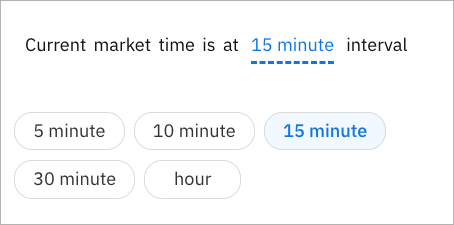
Ability to check the current time interval
For example, 10:30am is a 5 minute, 15 minute and 30 minute interval but not an hour interval since it doesn't fall directly on an hour.
Backtest to ORB bot now has an option to make only 1 attempt to enter
Previous ORB bots continue to scan for entry criteria after a breakout. Use this new option if you only want it to make a trade at the time of the breakout (like the backtest). The new scanner will use tags to prevent multiple attempts to enter.

Other changes worth noting:
- Added strategy filter on closed positions screen
- Addressed situation where a manual order cancellation could hang if broker does not respond
- Apply edits to community comments without a page reload (yay!)

.png)
.png)





'%3e%3cg id='Final-Copy-2_2_' transform='translate(1275.000000, 200.000000)'%3e%3cpath class='st0' d='M7.4,12.8h6.8l3.1-11.6H7.4C4.2,1.2,1.6,3.8,1.6,7S4.2,12.8,7.4,12.8z'/%3e%3c/g%3e%3c/g%3e%3c/g%3e%3cg id='final---dec.11-2020'%3e%3cg id='_x30_208-our-toggle' transform='translate(-1275.000000, -200.000000)'%3e%3cg id='Final-Copy-2' transform='translate(1275.000000, 200.000000)'%3e%3cpath class='st1' d='M22.6,0H7.4c-3.9,0-7,3.1-7,7s3.1,7,7,7h15.2c3.9,0,7-3.1,7-7S26.4,0,22.6,0z M1.6,7c0-3.2,2.6-5.8,5.8-5.8 h9.9l-3.1,11.6H7.4C4.2,12.8,1.6,10.2,1.6,7z'/%3e%3cpath id='x' class='st2' d='M24.6,4c0.2,0.2,0.2,0.6,0,0.8l0,0L22.5,7l2.2,2.2c0.2,0.2,0.2,0.6,0,0.8c-0.2,0.2-0.6,0.2-0.8,0 l0,0l-2.2-2.2L19.5,10c-0.2,0.2-0.6,0.2-0.8,0c-0.2-0.2-0.2-0.6,0-0.8l0,0L20.8,7l-2.2-2.2c-0.2-0.2-0.2-0.6,0-0.8 c0.2-0.2,0.6-0.2,0.8,0l0,0l2.2,2.2L23.8,4C24,3.8,24.4,3.8,24.6,4z'/%3e%3cpath id='y' class='st3' d='M12.7,4.1c0.2,0.2,0.3,0.6,0.1,0.8l0,0L8.6,9.8C8.5,9.9,8.4,10,8.3,10c-0.2,0.1-0.5,0.1-0.7-0.1l0,0 L5.4,7.7c-0.2-0.2-0.2-0.6,0-0.8c0.2-0.2,0.6-0.2,0.8,0l0,0L8,8.6l3.8-4.5C12,3.9,12.4,3.9,12.7,4.1z'/%3e%3c/g%3e%3c/g%3e%3c/g%3e%3c/g%3e%3c/svg%3e) Your Privacy Choices
Your Privacy Choices